

For
any website owner, ensuring that your content is discoverable by search
engines like Google and Bing is a fundamental step towards online
success. Search engines use automated programs called "crawlers" or
"bots" to explore the internet and index web pages. To help these
crawlers efficiently navigate and understand your website's structure, a
tool called a "sitemap" becomes incredibly useful. This guide will explain the functionality of the AdsVolt Sitemap Generator (available at https://www.adsvolt.com/sitemap-generator).
We will explore what a sitemap is, who can benefit from using such a
tool, how to effectively generate and use your sitemap, and why it plays
a crucial role in your website's search engine presence. At
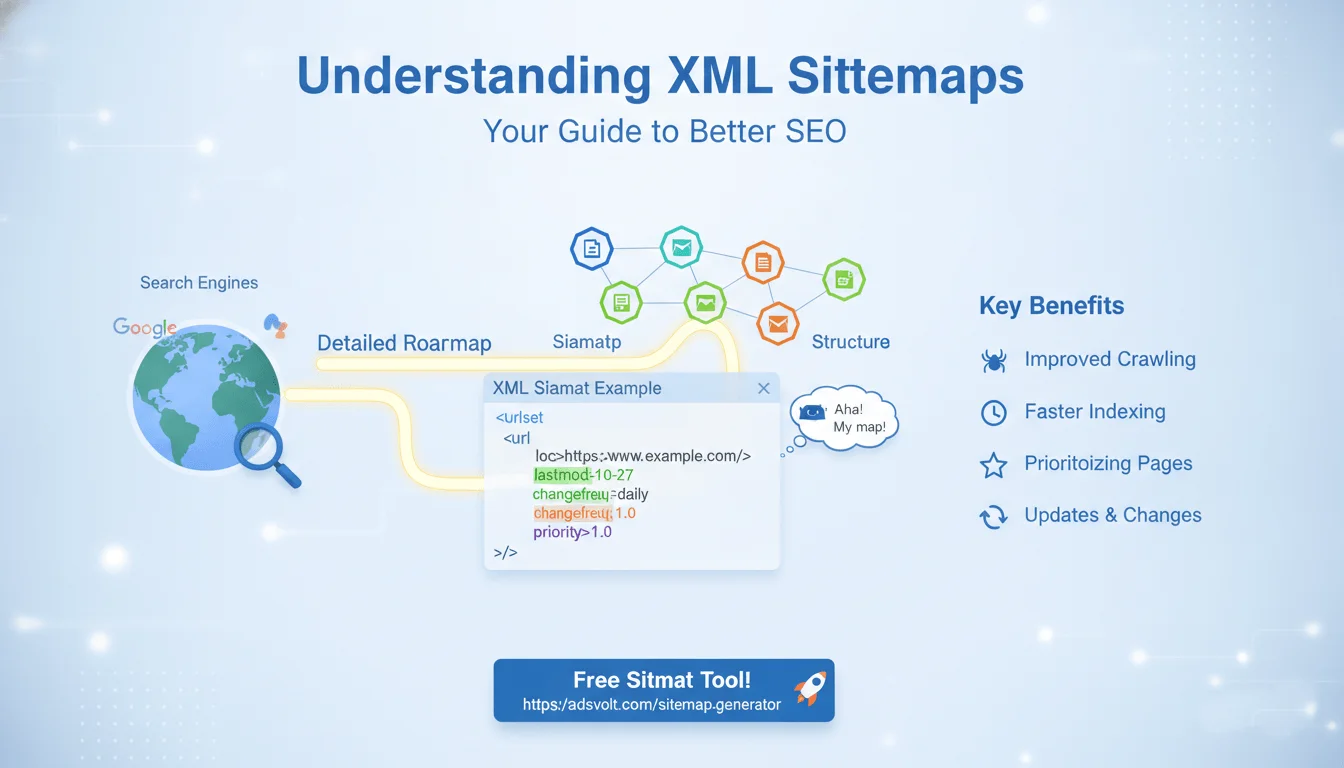
its core, a sitemap is a file that provides search engines with a
comprehensive list of all the pages, videos, images, and other files on
your website that you want them to crawl and index. It acts as a clear
directory, outlining your website's organization. While
various types of sitemaps exist, the most commonly discussed and
essential for search engine optimization (SEO) is the XML sitemap. The
AdsVolt Sitemap Generator is designed to help you create this specific
type of sitemap with ease. The utility of a sitemap generator extends to a broad audience of individuals and organizations involved with websites: Content Creators and Bloggers:
If you regularly publish articles, stories, or informational content, a
sitemap helps ensure every new piece is quickly found by search
engines. Small Business Owners:
For businesses relying on their website to reach customers, a sitemap
assists in making all service, product, and contact pages visible. SEO Professionals: Sitemaps are a foundational element in any robust SEO strategy, aiding in crawl efficiency and index coverage. Web Developers:
During site development or redesigns, generating and updating sitemaps
is a standard practice to communicate changes to search engines. E-commerce Platforms:
Websites with a large number of product listings particularly benefit
from sitemaps to ensure all items are discoverable by potential
customers. New Websites:
For recently launched sites that might not yet have many backlinks, a
sitemap offers a direct way to inform search engines of their existence
and content. Websites with Complex Structures:
Sites with deep navigation paths or isolated pages that may not be
extensively linked internally can use sitemaps to ensure these pages are
still found. Implementing
a sitemap is more than just a recommended practice; it's a significant
factor in optimizing your website's search engine performance: Enhanced Content Discovery:
A sitemap directly guides search engine crawlers to all the pages you
want them to see, minimizing the chance of important content being
overlooked. Faster Indexing:
When you update existing pages or publish new content, a submitted
sitemap alerts search engines to these changes, often leading to quicker
indexing and appearance in search results. Improved Website Comprehension:
Sitemaps can provide additional information about your pages, such as
how recently they were updated or their relative importance. This helps
search engines better understand your site's hierarchy. Support for Large or Dynamic Sites:
For websites with extensive content, frequently changing pages, or rich
media (like images and videos), sitemaps are invaluable for maintaining
comprehensive indexing. Visibility for Orphaned Pages:
If some pages on your site lack internal links from other pages, a
sitemap ensures these "orphaned" pages are still known to search
engines. Insights from Search Engine Tools:
By submitting your sitemap to platforms like Google Search Console, you
gain access to reports that can highlight any indexing errors, helping
you address potential issues. The
AdsVolt Sitemap Generator is designed for straightforward operation.
Here’s a step-by-step guide to generating and deploying your sitemap: Access the Tool: Navigate to the AdsVolt Sitemap Generator page: https://www.adsvolt.com/sitemap-generator Input Your Website URL: Locate the designated field and enter your website's primary URL (e.g., https://www.yourdomain.com). Configure Settings (Optional): The tool may present options to fine-tune your sitemap, such as: Change Frequency: An indication of how often a page is expected to be updated (e.g., daily, weekly, monthly). Priority:
A suggestion to search engines about the relative importance of a
specific URL compared to others on your site (a value between 0.0 and
1.0). Last Modification: The date when the page was last altered. Initiate Generation:
Click the button to "Generate Sitemap" or a similar prompt. The tool
will then crawl your website to compile the necessary information for
the XML sitemap file. Download Your Sitemap: Once the process is complete, you will be able to download the generated sitemap.xml file to your computer. Upload to Your Website: Transfer the sitemap.xml file to the root directory of your web server (e.g., the public_html or www folder). This will make your sitemap accessible at an address like https://www.yourwebsite.com/sitemap.xml. Submit to Search Engines: The final critical step is to inform search engines about your sitemap. Google Search Console: Log into your Google Search Console account. Navigate to the "Sitemaps" section, input the full URL of your sitemap (e.g., https://www.yourwebsite.com/sitemap.xml), and click "Submit." Bing Webmaster Tools: A similar process can be followed within Bing Webmaster Tools to submit your sitemap. While
a sitemap is an indispensable component of SEO, it forms part of a
larger ecosystem of strategies for website optimization. To continue
improving your site's discoverability and user experience, consider
exploring other aspects of web performance. For example, website loading
speed significantly impacts both user satisfaction and search engine
rankings. You might find our resource on "Optimizing Website Speed for
Better User Experience" (This is an example of an internal link you
would create to another relevant blog post on your site) beneficial for
further insights. The
AdsVolt Sitemap Generator offers a valuable solution for efficiently
creating and managing your website's sitemap. By facilitating clearer
communication between your website and search engines, it contributes
significantly to improved content discovery, faster indexing, and
ultimately, enhanced online visibility. Implementing a sitemap is a
proactive and beneficial step for any website aiming to perform well in
search results. Here
are some common questions about sitemaps and how to use the AdsVolt
Sitemap Generator to improve your website's presence in search engines. 1. What exactly is a sitemap? 2. Is a sitemap really necessary for my website? 3. What kind of sitemap does the AdsVolt Sitemap Generator create? 4. How often should I update my sitemap? 5. After generating a sitemap, what's the next step? 6. Can a sitemap help my website rank higher in search results? 7. What if my website is very small, with only a few pages? Do I still need a sitemap? 8. Can I have multiple sitemaps for different parts of my website? 9. What does "Change Frequency" and "Priority" mean in sitemap settings? Change Frequency:
This tag suggests to search engines how often you expect a page to
change (e.g., "daily," "weekly," "monthly," "never"). It's a hint, not a
command, but it can help crawlers decide how frequently to revisit a
page. Priority:
This tag indicates the importance of a URL relative to other URLs on
your site (on a scale from 0.0 to 1.0). Again, it's a suggestion to
crawlers about which pages are more critical to your site. 10. What if my website has pages I don't want search engines to index?Boost Your Website's Visibility: A Guide to the AdsVolt Sitemap Generator
Understanding Sitemaps
Who Benefits from a Sitemap Generator?
The Importance of Sitemaps for Your Website
How to Utilize the AdsVolt Sitemap Generator
Further Enhancing Your Website's Performance (Internal Link Example)
Frequently Asked Questions (FAQ) about the AdsVolt Sitemap Generator
A
sitemap is a file on your website that lists all the important pages,
videos, images, and other content you want search engines to crawl and
index. It acts like a directory or roadmap for search engine bots,
helping them to understand your website's structure and find all your
content efficiently.
While
search engines can often find pages without a sitemap, it is highly
recommended, especially for larger websites, new websites, or sites with
pages that aren't well-linked internally. A sitemap significantly helps
search engines discover all your content, understand its hierarchy, and
index it more quickly, which can improve your search engine visibility.
The
AdsVolt Sitemap Generator primarily creates an XML sitemap. This is the
most common type of sitemap used by search engines like Google, Bing,
and others to understand your website's structure and content.
You
should update your sitemap whenever you make significant changes to
your website, such as adding new pages, deleting old ones, or
substantially revising existing content. After generating a new sitemap,
remember to upload it to your website and resubmit it to search engines
through tools like Google Search Console.
Once you've generated and downloaded your sitemap.xml file from AdsVolt, you need to upload it to the root directory of your website (e.g., https://www.yourwebsite.com/sitemap.xml).
After uploading, the crucial next step is to submit your sitemap's URL
to search engines using their respective webmaster tools, such as Google
Search Console and Bing Webmaster Tools.
While
a sitemap doesn't directly boost your rankings, it plays a vital
indirect role. By ensuring search engines can efficiently find and index
all your content, it improves the chances of your pages appearing in
search results for relevant queries. Without proper indexing, ranking is
impossible. It's a foundational SEO practice.
Even
for small websites, a sitemap is beneficial, particularly if your site
is new. It provides a direct signal to search engines about your
content, helping them discover your pages faster than waiting for them
to be found through external links. It’s good practice for any size
website.
Yes,
for very large or complex websites, it's common and often recommended
to use multiple sitemaps, known as sitemap index files. For example, you
might have separate sitemaps for blog posts, product pages, or images.
The AdsVolt Sitemap Generator focuses on generating a single
comprehensive sitemap, but you can manually combine or manage multiple
sitemaps if your site requires it.
A sitemap lists pages you do want indexed. To prevent certain pages from being indexed, you should use other methods like a noindex meta tag in the page's HTML or a disallow rule in your robots.txt file. The sitemap and robots.txt serve different but complementary purposes.
Everything You Need to Know About the AdsVolt Sitemap Generator
Discussion
0 Comments
You must Log In to join the conversation.
No comments yet.
Be the first to share your thoughts!